Thursday, January 16, 2014

Mobogenie Virus


Mobogenie is a dangerous infection which is recently detected by the users of Windows and Android based devices across the world. You might seeing the ads of Mobogenie in 'Google Ads' now a days. Android users are frequently seeing it's 'Ad' and facing it's request to download its application. But the big problem is that this application downloads and install itself automatically on the user's device without User's permission.

BEWARE! It's a Malware which might infect your device. If you find this application installed in your device then your privacy might be in danger. If happened so, you must immediately uninstall it from your device!

Monday, November 4, 2013

Wifi Direct

We have been getting many questions with regards to Wifi Direct technology. A few year ago wireless technology like Wifi, Infra-Red, BlueTooth, NFC etc are best known for data communication.

Now you would be thinking what about wifi? If you look at it wifi allows several devices, computers, printers, mobiles etc.. to wirelessly transfer data and communicate with each other.  The only catch with wifi was that it needed a medium for the data transfer or communication to take place, that medium was usually a wireless access point / wireless router.  So the wifi alliance came up with a new technology and called it Wifi Direct.


Wifi Direct:

Thus Wifi Direct can also be called peer-to-peer Wifi, in essence it allows for two or more devices to connect to each other directly without the need for a wireless access point (wireless router).

In order for a device to be able to use Wifi Direct it needs to be certified by the Wifi Alliance. The certification is known as Wifi Certified and currently over 550 products have been certified Wifi Direct and the product range is expanding. Example of products that have been certified Wifi Direct include Smartphones, Televisions, Laptops etc.

Tuesday, October 22, 2013

Difference between NFC and Bluetooth

We have been getting many question regarding communication system to know what NFC is and how it’s different than Bluetooth. Keeping that in mind we will try to explain the differences between NFC and Bluetooth starting with a brief history then moving onto their current status and future. We will also mention their Advantage and Disadvantage and try to make it as understandable as possible.


NFC (Near Field Communication):

Radio frequency identification (RFID) was the base upon which Near Field Communication (NFC) started back in the 80’s. This technology permitted the user to direct radio information to a receiver where it was recognized. The initial form of this technology was used for tracking and security purposes at retail locations. As time progressed so did this technology, and the two strong companies NXP semiconductors and Sony came to invent NFC or “Near Field Communication” in 2002. In 2010 this technology evolved and got incorporated in Android smartphones.

Basically NFC is a data transfer technology that works at a short distance or another way to put it is that it’s a sort of extremely short range wireless-communication. By a process called inductive coupling two compatible devices can transfer the data in the form of beam. For NFC to work both devices should be at distance of no more than 4 centimeters for data transfer to effectively take place.

In fact in one of Samsung’s ads for their Galaxy S 4 smartphone they showed this as a very neat and nifty function where pictures and video were transferred by simply touching two Galaxy S 4’s together.

Thursday, October 17, 2013

Upgrade to Windows 8.1 from Windows 8

Windows 8 users who have been waiting for a better user experience do not have to wait any longer. Microsoft’s Windows 8.1 is available as a free upgrade for any system running with Windows 8. With just a few simple steps, you can get important new features, including the ability to see multiple windows in Modern User-Interface, a Start Button and a search function that returns results both from the web and your hard drive.

* First make sure your system has all recent Windows updates. If you have been using Windows 8 steadily you are probably up to date, but if it has been a few days since you last logged in to your PC.

Here’s are the following steps to upgrade your Windows 8 system to Windows 8.1:

• Click settings on the charms menu.


• click on Change PC settings.


Sunday, October 13, 2013

Microsoft Office for the iPad is coming soon, Ballmer


Microsoft CEO Steve Ballmer has let slip that Microsoft Office for the iPad is on its way, although it's unlikely to arrive any time soon. Ballmer revealed that Microsoft is developing a version of Microsoft Office for the iPad.

He said, "Word, PowerPoint and Excel are all authoring tools. They are optimized for use with keyboards and mice. The last time I checked, the iPad didn't have a paradigm for keyboard or mice.

"The iPad will be picked up when we do what I would call not just a touch-enabled, but a touch-first user interface for Office. That is in progress for both Windows 8 and other platforms."

While there's already an iPhone version of Microsoft Office available, this is the first time the company has mentioned developing it for Apple's iPad, despite it having long been called for by users of the tablet.

However, as Ballmer's comments suggest, it seems Microsoft is plotting to bring touchscreen friendly Office apps to its own Windows 8 operating system first, likely to make its Surface tablets more appealing to buyers.

Ballmer didn't reveal any more details about the upcoming Microsoft Office applications, nor did he drop hints about a release date. However, if speculation is to believed, Microsoft Office for the iPad is likely to arrive in early 2014.

According to analysts, the firm should release the applications sooner rather than later though, with Morgan Stanley researcher Adam Holt claiming earlier this year that the firm has missed out on "billions of dollars" by not releasing Microsoft Office for the iPad.

Saturday, October 12, 2013

USB 3.0 chip controller boost PC performance up to 50%


Silicon Motion Technology last week announced it has begun shipping USB drive manufacturers samples of a new USB 3.0 controller chip for flash drives that could boost their performance by up to 50 percent.

The company said the new SM3267 integrated controller is expected to deliver up to 160 megabyte-per-second read times and 60 megabyte-per-second write speeds through a single channel; that would be a 30 percent to 50 percent performance improvement over today's USB 3.0 flash drive technology.

Even though the USB 3.0 specification has the capability to support 4.8Gbps throughput speeds, the speed of a USB 3.0-enabled flash drive is dictated by the speed of the accessing flash devices in the drive. Today, most consumer-USB 3.0 flash drives support about 100MB/s read speeds.

"We are pleased to announce that SM3267 has received design-ins from most of our current USB controller customers, including many top-tier OEMs, and we expect SM3267-based USB 3.0 flash drives will be commercially available starting in the fourth quarter of 2013," Wallace Kou, CEO of Silicon Motion, said in a statement.

The new integrated chip will also be able to run at lower voltages, from 5 volts to 1.2 volts, enabling a 25 percent to 30 percent lower USB flash drive device temperature compared with other USB 3.0 flash controller products in the market, Silicon Motion said.

Wednesday, October 9, 2013

How to Root Samsung Galaxy Note 3


By rooting your Samsung Galaxy Note 3, you can not only  uninstall bloatware, install a custom ROM and run rooted apps, but also allow additional apps to appear in Samsung’s floating “pen window.” Fortunately, if you have the T-Mobile or Sprint version of the Galaxy Note 3, you can root your phone in just a few simple steps.

 You must use a Windows computer to complete this steps:

1) Download the root package you need from the XDA Developer’s forum and save it to your Desktop. At present, there are packages for international versions or T-Mobile and Sprint in the U.S.

2) Extract the .zip file:


3)  Open Odin by right-clicking and selecting Run as Administrator from inside the extracted folder:


4) Click on PDA and select the .tar.md5 file inside the extracted folder:

Tuesday, October 8, 2013

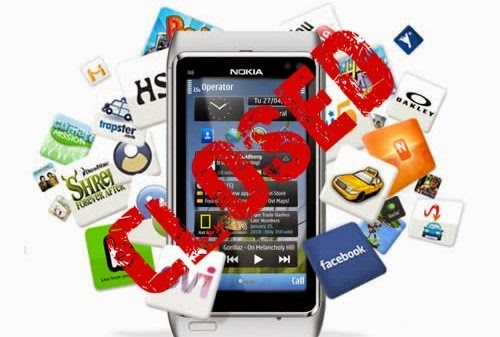
Nokia ending support for Symbian and MeeGo OS from 01 JAN 2014


Nokia announced that it will be dropping support for the Symbian and MeeGo operating systems at the end of this year. Moreover, Nokia's developers support team sent out an e-mail to the saying that they would not be allowed to continue distributing MeeGo or Symbian applications through the Ovi Store from January 1st , 2014 onwards.

While apps will still be available for download to customers and developers will still continue to receive revenue for published apps till 31 Dec 2013.

The Nokia Developer Team has said the reason for the imminent shutdown is so that the company can focus on its Asha and Windows Phone lineup and not have to worry about products it no longer makes.

There are countless loyal fans out there still using the handsets, and right now they are being very vocal that the platform is effectively being switched off. Nokia have access to the traffic and download stats for their Stores, so will be aware of the volume of users till using the Store for third party applications.

It’s perhaps understandable to stop the uploading of new applications, but to deny the opportunity to update applications is going to lead to a number of issues. One immediate thought is what happens when Facebook updates their API, all the social functionality in these apps will be broken.

Monday, October 7, 2013

Toshiba unveils his new lightest and thinnest Workstation: Tecra W50

A renown Japanese computer firm TOSHIBA launched a raft of business focused laptops on Monday, including its first mobile workstation, the Toshiba Tecra W50.

Designed for intensive applications and heavy duty tasks, the 15.6in Tecra W50 is powered by a quad-core Intel Core i7 processor and Nvidia Quadro graphics with GDDR5 memory. There are also four memory slots for up to four 8GB DDR3L memory modules for a total of 32GB RAM.

This high performance Tecra W50 workstation system, Toshiba said, will "accelerate graphics intensive applications and help speed through detailed tasks such as video editing".

Toshiba said the Tecra W50 is designed to withstand the pressures of office and mobile environments and has undergone "Highly Accelerated Life Tests" (HALT) by TÜV Rheinland, which saw it tested against drops of up to 76 cm and keyboard spill-resistance up to 30 ml.

The option of a dedicated docking station opens up more ways to connect to essential peripherals as well as offering more flexibility around the office. The docking station lets users add even more ports to the Tecra W50 to extend their working environment further - whether it's to backup files onto a hard drive, connect to the network or work on multiple documents across dual screens.


The W50's non-reflective 15.6in Full HD screen has LED back-lighting for a brighter and more vibrant display. It will run either Windows 7 Pro 64-bit or Windows 8 Pro 64-bit from either a HDD or SSD configuration.

The Toshiba Tecra W50 has standard WiFi and Bluetooth 4.0, as well as a full set of ports, including five USB ports, two of which are USB 3.0, and a Gigabit LAN port. There's also Intel Wireless Display (WiDi) and a Display port for connectivity to external monitors.

The Tecra W50 will be available in Europe in the fourth quarter.

As part of the W50 launch, Toshiba also unveiled its latest range business ultrabooks, which include the new Z series family and the new Portégé R30, the successor to the Portégé R930.

Comprised of the Tecra Z30, Z30T touch edition, Tecra Z40 and Tecra Z50, all models feature the same ultrabook design, but in 13in, 14in and 15in screen sizes, respectively. Toshiba said they all feature full working day battery life, advanced security features and a common docking configuration throughout making it easy to buy right across the range.

Sunday, October 6, 2013

Difference between IPS and AMOLED Screen

Left: IPS LCD , Right: Regular LCD

We have been getting many questions with regards to mobile display technology the most frequent one being what is the difference between IPS and AMOLED, so we decided we should right an article detailing the pros and cons of both and try to make it as understandable as possible.


IPS:

IPS (in-plane switching) the technology was made primarily for LCD (liquid crystal display) to overcome the limitations of the regular LCD or TFT-LCD display, the problem with the regular display TFT-LCD was a slow response time, that means a degraded touch response and bad news for gamers as games usually require screens with good response times.

Another thing was a limited viewing angle, you could make out the screen if you’re looking at it straight ahead with a little variation, but move to the side a bit and you wouldn't be able to see the screen, it was great for guys who’d be texting one girl while sitting with another. But now is the age of sharing is caring where you wanna show off what you’re watching, so something had to be done.

IPS was the answer allowing for better response times meaning good touch response and better gaming. Also it allowed for a better viewing angle meaning you could watch the screen while having others watch it too.


Advantages:
• Better response time as compared to regular LCD's.
• Better Color reproduction.
• Better viewing angle.
• Sharper Images.

Disadvantages:
• Requires a stronger backlight.
• More power hungry.
• Screens (cell phones) are usually much more thicker (bulkier) due to back-light source.


AMOLED:

AMOLED or (Active Matrix Organic Light Emitting Diode) is an upgrade to OLED, this tech basically consists of organic compounds which when are introduced to an electric charge produce luminosity or light.

AMOLED was the tech that allowed for smart-phones to become even sleeker, basically since it does not require any back-light as compared to its IPS counterpart it is less bulky.  At the same time it provided better viewing angles and better contrast as compared to the simple LCD. The main factor that really set apart the AMOLED was its power consumption, it uses less battery power as compared to the IPS tech or regular LCD's.


Advantages:
• No Back-Light Required.
• Screen is slimmer, less bulky phone.
• No back-light, less battery usage, greater battery life.
• Great Contrast.

Disadvantages:
• Difficult to produce, more expensive tech.
• Images Not as sharp IPS.
• Less Bright as compared to IPS, so less daylight visibility.
• Display Colors Degrade over time.

Friday, October 4, 2013

Android 4.3 Jelly Bean is uses on just 1.5 percent of devices


Google has revealed the state of Android fragmentation this month and reported that Android 4.3 Jelly Bean is now available on almost half of Android devices, although the latest iteration has yet to make its mark.

Google's updated Android dashboard figures show that Android Jelly Bean versions 4.1.x, 4.2.x and 4.3 are now on 48.6 percent of Android devices worldwide in total. This is up 3.5 percent compared to September's statistics, and reflects a rise of over eight percent compared to Google's August numbers.

However, while this paint a fairly positive picture of the Android ecosystem, Google's figures also reveal that just 1.5 percent of devices are running the latest Android 4.3 Jelly Bean version.

It's also worth pointing out that there have been more iterations of Android Jelly Bean than any previous version of the mobile operating system, which has helped to push up the percentage of devices running it.

Unsurprisingly, Android 2.3.x Gingerbread is still the second most common version of Google's mobile operating system, running on 28.5 percent of devices. This is followed by Android 4.0.x Ice Cream Sandwich, which still has a 20.6 percent share. Android 2.2 Froyo and Android 3.0 Honeycomb still account for 2.2 percent and 0.1 percent of Android devices worldwide, respectively.

These numbers don't show the whole picture however, as Google only counts devices that have accessed Google Play during the month, rather than attempting to detect and analyse all of the one billion plus Android devices that exist.

It's likely that a new version, Android 4.4 Kitkat, will be added to the mix soon, with rumours claiming that Google's next mobile operating system release will appear later this month.

Tuesday, October 1, 2013

Internet Information Service (IIS) 8.5 will arrive this month


Microsoft's Internet Information Services 8.5 Web server will be arriving soon and bringing a few new improvements.

IIS 8.5 will be released with the Windows Server 2012 R2 product on 18 Oct 2013, which is the "general availability" product date. With IIS 8.5, the IIS team continued its focus on scalability and manageability improvements. The aim has been to improve support for organizations with a large number of Web sites to manage.


Scalability Improvements:

IIS 8.5 has two scalability improvements. One of them, called "dynamic site activation," is designed to reduce the startup times and memory use of Web sites for organizations that have a lot of sites. The Dynamic Site Activation feature, by default, only activates sites when they are requested for the first time if an organization has 100 sites or more. If there are less than 100 sites, then all of the sites are activated at startup by default.

Erez Ben-Ari, a program manager for IIS at Microsoft, explained in a July blog post that past IIS releases work by creating queues and bindings in the process of activating sites, which can take up system memory resources. In contrast, IIS 8.5 creates one queue "and will create specific queues for specific sites only when a request actually arrives for it" for organizations that have 100 or more sites. The end result of this redesign is faster Web site startups along with reduced memory consumption, Microsoft claims.

The second scalability improvement in IIS 8.5 is called "idle worker process page-out." It's designed to reduce the memory resource demands of organizations with a lot of Web sites that aren't busy all of the time. IIS typically terminates the worker process of a Web site if it hasn't been used for 20 minutes or so. However, IIS 8.5 introduces the ability to suspend those worker processes instead of terminating them, according to Microsoft's description of the new IIS 8.5 features.

"The idea is that instead of a process termination upon time-out, the process remains alive, but suspended and consuming little resources," explained Ben-Ari, in a June blog post about the Idle Worker Process Page-out. "Then, if the site is being requested, it wakes up from suspension almost instantly."


Manageability Improvements:

IIS 8.5 has three new manageability improvements. First, Microsoft added logging enhancements for monitoring HTTP requests in IIS 8.5. The logging enhancements use a new Windows Server 2012 R2 service called "W3C Logging Service," according to a July blog post by Ben-Ari. Organization can now customize the logging to store request headers, response headers and server variables. The customization can be used to get information such as the IP addresses of connecting clients when the network has a load balancer, for example, Ben-Ari explained.

The second manageability improvement in IIS 8.5 concerns support for Event Tracing for Windows (ETW) in the logging process, which can be used to better monitor IIS in real time and debug Web applications. With ETW support in IIS 8.5 turned on, events are shown "immediately," according to Ben-Ari. In contrast, text-file logging can take about 30 seconds to flush to the log, he explained in a July blog post. It's also possible to use Microsoft's recently released Message Analyzer tool to capture events in real time, he added.

A third management improvement is an option to automatically rebind renewed certificates for Web sites. Expiring site certificates need to be tracked by IT pros, but their renewals require an extra step in which the certificate gets rebound to the site. Microsoft previously added a "certificate services lifecycle notifications" capability in Windows 8 and Windows Server 2012, and that capability can be used to log and track expiring certificates. However, what's new in IIS 8.5 for Windows Server 2012 R2 is the ability to use that notification tracking capability to "automatically re-bind a certificate that has been renewed," according to September blog post description by Ben-Ari. IT pros can set up this capability using the Task Scheduler and simply automate the certificate renewal process, he noted.

Most of the new changes in IIS 8.5 were driven by Microsoft's private-public cloud focus, according to the IIS team. IIS 8.5 underlies Microsoft's new Windows Azure Pack for hosted and private clouds, as well as Windows Azure Web Sites in the public cloud, according to an explanation by Wade Hilmo, principal development lead for Microsoft's IIS project, during Microsoft's TechEd Europe event in June. In recent years, the IIS team has been focusing its development resources more toward fitting IIS into those cloud-based scenarios, he explained. Microsoft typically ships IIS with Windows about every 12 to 18 months, he said.

Sunday, September 29, 2013

Java favorite target platform for Hacker this Year


Java was the most targeted development platform for exploit attacks during the first half of the year, and attacks have increasingly shifted to zero-day vulnerabilities, according to F-Secure's new threat report.

"Of the top five most targeted vulnerabilities, four are found in the Java development, either the Runtime Environment (JRE) or the browser plug-in," according to the report, based on information about attacks detected through F-Secure's sensors and telemetry systems. The company notes that it's not surprising Java is an appealing target since "next to the Windows operating system (also a popular target for exploits), Java is probably the second most ubiquitous program in an organization's IT setup."

Analysis of attacks shows the top five exploited vulnerabilities accounting for 95 percent of all attacks, with the U.S. the geographic location most targeted. F-Secure estimates 78 out of every 1000 users in the U.S. saw a detection identifying an exploit of a specific vulnerability in the last six months. Germany also saw a fairly high number of attacks with about 60 out of 1000 users hit within the same time frame.

"Unfortunately, removing either the runtime or plug-in may not be a feasible option for companies that use Java in business-critical instances," the F-Secure report points out. Defense and mitigation strategies might involve something more complicated than uninstalling a program, such as "some combination of tweaking Java's security settings, configuring web browser settings to minimize unwanted applet execution (or installing other third-party plug-ins to do so) and monitoring network traffic."

F-Secure says 70 percent of the exploit-related attacks are carried out by means of five kits: BlackHole, SweetOrange, Crimeboss, Styx, and Cool. All of these remain under active development.

Another security threat to be reckoned with in the first half of 2013: Mac malware. F-Secure reports it saw the "first Mac malware signed with a valid Apple Developer ID," an ominous event because this allowed the malware to bypass Apple's first line of defense. After independent researcher Jacob Appelbaum identified the malware, Apple was swift in revoking the misused developer ID attributed to "Rajinder Kumar" (hence this malware has been dubbed "Kumar in the Mac").

While this is noteworthy, malware targeting Android continued to dominate mobile threats in the first half of the year, according to the report. Of interest is the discovery of Android malware dubbed Stels, which is designed for distribution via spam e-mails and a bot that uses Twitter to update its command-and-control server addresses.

Friday, September 27, 2013

Microsoft plan to combine Windows and Windows Phone Store in a Single App


Microsoft is planning to combine its Windows Phone Store and Windows Store into a single app store. Sources familiar with the company's plans have revealed to The Verge that Terry Myerson, head of the operating systems group, confirmed the move in an internal company meeting today attended by thousands of Microsoft employees. We're told that Myerson committed to the "next releases" of Windows and Windows Phone, which we understand to be Windows Phone 8.1 and a special update planned for Windows 8.1. Both are due to be ready in spring 2014.

Myerson didn't reveal how the single Windows Store would work, nor whether Windows Phone apps will run on Windows in the new model. The Windows head previously publicly commented that he sees the future of Windows RT in phones and small tablets. "Windows RT was our first ARM tablet. And as phones extend into tablets, expect us to see many more ARM tablets, Windows ARM tablets in the future," said Myerson during a recent analysts meeting.

It's possible that Microsoft may take an approach that's similar to Apple's App Store, where tablet specific apps don't run on the phone, but phone apps scale to run on a tablet. Microsoft has long promised a "common app platform" between the two operating systems and Myerson said previously that "all of the apps we bring to end users should be available on all of our devices." If Microsoft is planning to make Windows Phone apps available on Windows 8.1 or Windows RT 8.1 devices then it's well positioned to have them run in a Snap View alongside tablet optimized apps. We'll know more with the "next releases" of Windows and Windows Phone.

Thursday, September 26, 2013

Play Station 4 Reviews, Specs, Release Date

The PS4 itself was shown off for the first time at E3 and it's black, just like the Xbox One. However, it has an angular design and appears to be constructed of a similar plastic to the original PS3 Slim machine. It looks as though it's slimmer than the Xbox One but we're not totally blown away by the design.


- AMD's technology is coursing through this new system's veins, and Sony recently told us that it believes the PS4 to be the most powerful gaming device every conceived. Sony revealed the system runs on a single-chip custom processor and utilizes eight x86-64 AMD Jaguar CPU cores, with a next-gen AMD Radeon based graphics engine powering the way.

- The Highly Enhanced PC GPU is another AMD part - something along the lines of a Radeon 7850 card and packs 18 GCN units. That may sound a like a lot of techy mumbo jumbo but what it essentially means is that the GPU packs 18 processing clusters, each packing up to 64 cores. That provides a lot of parallel processing power, and will thus handle the majority of the PS4's grunt work. It hits 1.84 TFLOPS of processing power, a good chunk more than the Xbox One.

The PS4 will ship packing 8GB of GDDR5 memory. That's some super-fast stuff right there and should enable lightning fast performance


Play Station 4 - Specification:

CPU: low power x86-64 AMD "Jaguar", 8 cores
GPU: 1.84 TFLOPS, AMD Radeon™ Graphics Core Next engine
Memory: GDDR5 8GB
Hard Disk Drive: Built-in
Optical Drive (Read only): BD 6xCAV, DVD 8xCAV
I/O: Super-Speed USB (USB 3.0), AUX
Communication: Ethernet, IEEE 802.11 b/g/n, Bluetooth® 2.1 (EDR)
AV output: HDMI, Analog-AV out, Digital Output (optical)


Joy Stick Specs:
External Dimensions: Approx. 162mm x 52mm x 98mm
Weight: Approx. 210gm (tentative)
Buttons: PS button, SHARE button, OPTIONS button, Directional buttons (Up/Down/Left/Right), Action   buttons (Triangle, Circle, Cross, Square), R1/L1/R2/L2/R3/L3, Right stick, Left stick, Touch Pad Button,  Touch Pad 2 Point Touch Pad, Click Mechanism, Capacitive Type
Other Features: Light Bar, Vibration, Built-in Mono Speaker
Ports: USB (Micro B), Extention Port, Stereo Headset Jack
Wireless communication: Bluetooth® Ver2.1+EDR


Camera Specs:

• External Dimension: Approx. 186mm x 27mm x 27mm
• Weight: Approx. 183gm
• Video Pixel: (Maximum) 1280 x 800 pixel x 2
• Video Frame Rate: 1280x800 pixel @ 60fps, 640x400 pixel @ 120fps, 320x192 pixel @ 240fps
• Video Format: RAW, YUV (uncompressed)
• Lens: Dual Lenses, F value/F2.0 fixed focus
• Field-of-View: 85 degrees
• Microphone: 4 Channel Microphone Array
• Connection Type: PS4 dedicated connector (AUX connector)
• Cable Length: Approx. 2m (tentative)


Price:

Sony announced the PS4 price at E3 - it'll cost $399 in the US, £349 in the UK and €399 in Europe when it goes on sale in November. That's a whole $100 cheaper than the Xbox One.

That price, it must be said, does not include the PlayStation Camera, whereas the Xbox One will ship with the second version of Kinect.


Release Date:

The official PS4 release date was announced at Gamescom 2013. The PS4 will go on sale on 15 Nov 2013 in the U.S., followed by the U.K. on 29 Nov 2013. Australia will also see the console then, while Canada too shares the U.S.'s 15 Nov 2013 launch date.

Wednesday, September 25, 2013

Microsoft Surface 2 Pro Review + Specs


Microsoft has announced the Surface 2 and Surface Pro 2. Both the Surface 2 and Surface Pro 2 are primarily iterative hardware upgrades, bringing improved performance, battery life, and sharper displays. The tablets themselves, except for a beautiful 1080p display on the Surface 2, introduce almost no new features. Instead, new functionality is provided by a variety of new attachments, such as the Power Cover, which will increase battery life by around 50%, and a Docking Station, which makes it much easier to use your Surface Pro 2 as a desktop replacement.


Surface 2 / Surface 2 Pro - Video Review (Hands on):


Surface 2 Pro - Specification:

Surface Pro 2
Surface 2
Size274.5 x 173 x 13.5 (mm)   274 x 171 x 8.9 (mm)
Weight907g   680g
Screen10.6-inch ClearType HD   10.6-inch ClearType Full HD
Resolution1920×1080 pixels   1920×1080 pixels
OSWindows 8.1 Pro   Windows RT 8.1
Storage64, 128, 256, or 512GB   32 or 64GB
SD Card SlotYes   Yes 
Other PortsUSB 3.0, mini DisplayPort   USB 3.0, HD video out 
ProcessorIntel Core i5 (Haswell)    Quad-core Nvidia Tegra 4
RAM4 or 8GB   2GB
ConnectivityWi-Fi (802.11a/b/g/n)   Wi-Fi (802.11a/b/g/n)
CameraFront 1.2MP, Rear 1.2MP   Front 3.5MP, Rear 5MP
BluetoothYes, version 4.0   Yes, version 4.0
Battery7-8 hours of use   10 hours of use
ChargerMicro USB   Micro USB
MarketplaceWindows Store   Windows Store 
Price$900+   $450+


The Surface 2 is really the sweet spot in Microsoft’s tablet offerings. Since the company is keeping the Surface RT around at a cheaper price point, the Surface 2 should become the go-to for students or people who may do some work from home and want a tablet capable of providing a little computing power without a huge investment. With a $450 starting point, Surface 2 owners will get a device built with the impressive Quad-core Nvidia Tegra 4 processor and a full HD, 1080p display. They will also get added goodies like 200GB of SkyDrive storage for wo years, Office 2013 RT apps from the jump, and free Wi-Fi and international Skype calls for a year.

The Surface Pro 2 is all business. It’s a full blown computer shoved into the casing of a laptop. Its RAM offerings start at 4GB and go up to 8GB and its hard drive ranges from 64-512GB. Add the new Intel Core i5 Haswell processor to that and you’ve got a device with internals that can handle anything you decide to throw at it. This is one of the rare tablets that could absolutely become a laptop replacement. Of course it’s priced as one as well, starting at $900. The top-tier unit costs $1800. The Surface Pro 2 also has the distinction of running Windows 8.1 Pro rather than the 8.1 RT OS on the Surface 2. This means the Pro can run Windows desktop applications, while the standard Surface 2 cannot.

Monday, September 23, 2013

iphone 5S and 5C selling hits Nine million in one Week

Apple sold nine million iPhone 5C and iPhone 5S smartphones last weekend and pushed iOS 7 onto 200 million devices.


The colourful new iPhones went on sale on Friday, and we popped in and had a look at the queue. It is now Monday. In the time between then and now nine million iPhones went into people's hands and up to their ears. This might mean that some people are disappointed, as according to Apple's CEO, hardware is already selling out.

"This is our best iPhone launch yet - more than nine million new iPhones sold-a new record for first weekend sales," said Apple CEO Tim Cook.

"The demand for the new iPhones has been incredible, and while we've sold out of our initial supply of iPhone 5s, stores continue to receive new iPhone shipments regularly. We appreciate everyone's patience and are working hard to build enough new iPhones for everyone."

Last year in its first weekend, the Apple iPhone 5 sold five million units.

As well as moving all those phones, Apple also placed its updated mobile operating system iOS 7 on 200 million devices. This is a record for the firm.

In the UK, the iPhone is available from EE, O2, Three, Vodafone, Carphone Warehouse, Phones 4U and assorted other Apple resellers.

The new iPhones are the most colourful ones that Apple has released, and the iPhone 5S comes in gold, silver or space grey hues. The iPhone 5S 16GB, 32GB and 64GB models cost £549, £629 and £709 SIM-free, respectively.

More colourful still is the iPhone 5C, which comes in blue, green, pink, yellow and white colours. There are only 16GB and 32GB sizes on offer for the iPhone 5C, and they cost £469 and £549 SIM-free, respectively.

Sunday, September 22, 2013

How to Reset Your Android Phone


Sometimes, you and your Android phone just don't get along: You want to watch a video and it won't stop pinging you with notifications. You have hundreds of apps installed on your phone and trying to figure out which one is incessantly bothering you would take too much time. In these situations, the scorched-Earth method works best—provided you don't mind losing all your personal data.


To reset your Android phone back to its pristine, fresh-from-the-factory state, simply head on over to your phone's Settings app and look for the Backup and Restore menu. Tap on it, and you should see an option labeled Factory data reset. Selecting this option will pop up a window asking you to confirm your selection.

At this point, note that if you choose to proceed, you'll lose all data on your phone, including your apps, photos, music, and any contacts that aren't backed up to Gmail's servers. If you're okay with starting over, hit the reset phone button and your phone will begin the process of resetting itself.

Resetting your phone can take anywhere between 5 and 10 minutes, depending on how much stuff you had on it. Some phones won't let you reset them unless you have over a certain percentage of battery, so it's best to perform this operation while the phone is plugged in and charging. Once the phone is done purging itself of all your data and apps, you're phone will be just like new—software-wise, anyway—and you'll be prompted to go through the setup process once more.

Friday, September 20, 2013

iOS 7 Lockscreen Bug Dicovered

 Just 72 hours after release the first significant security risk of Lockscreen bug has been discovered in Apple iOS 7.

The bug occurs because, by default, the Control Center functionality is set to be available even when the screen is locked. Although full access is not possible, a thief could take control of the camera including the photo reel and post to linked social networks.

Although the bug only manifests if a very precisely timed sequence of key presses is performed, the fact that this information is now in the public domain means that a patch will be required quickly. In the meantime, users can disable the feature, and the associated security risk, by simply disabling the option for Control Center in their lockscreen.

Mobile security firm Lookout has revealed that it has managed to use the bug to access the timer, calculator and contacts list, though we can't imagine the first two being any huge threat to personal data.

Whilst acknowledging that concern is warranted in the ongoing battle to keep personal information private, we should emphasis that this is a somewhat convoluted security risk, relying as it does on a number of criteria being met.

We do wonder, however, whether Samsung will perhaps want to claim a patent on this lockscreen bug, given that its Android phones were similarly afflicted earlier this year.

Meanwhile, in a separate development, venture capitalist IO Capital has put a bounty of $10,000 for the first hacker who can "reliably and repeatedly" break into an iPhone 5S by lifting fingerprints. Since the prize was announced, the hacking community has been adding its own prizes, including copious amounts of alcohol and bit coins.

Thursday, September 19, 2013

iPhone 5S vs Samsung Galaxy S4 specs comparison


APPLE AND SAMSUNG have been fighting for the number one best-selling smartphone title for years. In the past, Apple's latest iPhone has traditionally won the yearly grudge match. However, since the death of iconic Apple founder Steve Jobs, Apple's lead on Samsung has gradually waned, with each new top-end Galaxy smartphone boasting increasingly higher sales.

For this reason, prior to its unveiling many industry commentators had begun to quietly predict that the iPhone 5S might become the first ever Apple smartphone not to beat Samsung's flagship handset in head to head sales.

Now with the iPhone 5S and its specifications revealed, it's too still early to know the final outcome in 2013's Apple vs Samsung battle, but the two smartphones' specifications suggest that the fight might be the most heated to date.


Measurements and Weight
iPhone 5S: 124x59x7.6mm, 112g
Samsung Galaxy S4: 137x70x7.9mm, 130g

The Apple iPhone 5S design looks pretty much the same as that of the iPhone 5, but it comes with multiple colour options. This means, as before, that the iPhone 5S is significantly lighter and smaller than the Samsung Galaxy S4, so it will likely be a more popular choice for smaller-handed people.


Display

iPhone 5S: 4in 1136x640, 326ppi Retina display
Samsung Galaxy S4: 5in full HD super Amoled 1920x1080 display, 441ppi

The Apple iPhone 5S has a 4in Retina display. Back in the day, when Apple first rolled out the Retina display technology, it was a big selling point for Apple devices, making the screens the sharpest and crispest ever seen on smartphones or tablets.

However a few years on, while still great, Apple's Retina displays are no longer the best on the market and a few smartphones have been released boasting better screens.

Running the Galaxy S4 head to head with the iPhone 5S' predecessor, the iPhone 5, we found Samsung's flagship had a superior screen, with its 441ppi full HD display being one of the best we've ever used.


Processor

iPhone 5S: Apple A7 processor
Samsung Galaxy S4: Quad-core 1.9GHz Qualcomm Snapdragon 600 processor

Apple made a big deal about its new A7 processor, claiming that it is the world's first 64-bit mobile chip and will make the iPhone 5S one of the fastest smartphones in the word, offering 40-times better CPU performance than the iPhone 5. However, as always, Apple declined to disclose the speed of its A7 processor, making it difficult to know how it will compare to the quad-core 1.9GHz Qualcomm Snapdragon 600 powered Galaxy S4 in real-world performance.


Battery

iPhone 5S: 10 hours' 3G talk time, unspecified lithium-ion battery
Samsung Galaxy S4: 17 hours' 3G general use, 2,600mAh lithium-ion battery


Battery life is an issue for most smartphones in the present market. This remained true on the Galaxy S4, which, despite being listed as lasting “up to 17 hours” on 3G on one charge, generally needed a top-up after a regular day’s use, with an average life of about six hours when battery was in use. This means that if the unspecified battery used in the iPhone 5S lives up to Apple’s claim of 10-hour 3G talk time it should easily outlast the Galaxy S4. However, we’ll only know this for sure when we’ve had a chance to actually test the battery on the iPhone 5S.


Camera

iPhone 5S: 8MP rear, 1.2MP front
Samsung Galaxy S4: 13MP rear, 2MP front

While the iPhone 5S camera looks lower specified, as any camera expert will tell you, it's not just about the megapixel count. Because of this, while it doesn't capture as many pixels, the Apple iPhone 5S might prove better at taking photos, because it boasts custom technology designed to capture bigger pixels, meaning that, like the HTC One, it should be better than average at taking photos in low light.


Storage

iPhone 5S: 16/32/64GB storage, no microSD card slot, 2GB of RAM 
Samsung Galaxy S4: 16/32/64GB storage, microSD card slot up to 64GB, 2GB of RAM

Both devices are available with multiple storage options, however the Galaxy S4 comes with a microSD card slot, meaning that buyers who can't afford the upfront cost of the 64GB model can add to the phone's storage at a later date.


Overall

On paper both the iPhone 5S and Samsung Galaxy S4 are good smartphones and both have definite enterprise appeal. Once we've had time to thoroughly put the two head to head in an in-depth, hands-on comparison review, we'll make a call on which is the best business smartphone.

* The iPhone 5S is set for release on 20 September.